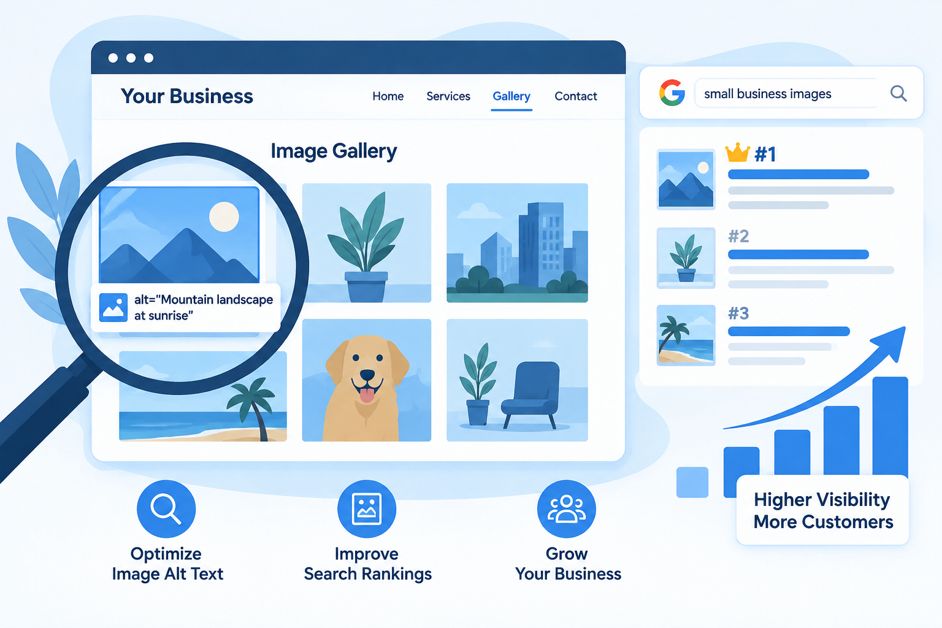
If you’ve spent any time optimizing your website, you’ve probably heard that “content is king.” But there’s a whole category of content sitting on almost every page of your site that most small business owners never touch: images. Every photo, graphic, and icon on your website is an opportunity to tell Google (and your visitors) more about what you do — or a missed opportunity if you leave it blank.
What Is Alt Text, Exactly?
Alt text (short for “alternative text”) is a short description attached to an image in your website’s code. It doesn’t show up visually on the page in most cases — it lives in the background. But it serves two very real purposes:
- Accessibility: Screen readers used by visually impaired visitors read alt text aloud so they know what an image shows.
- SEO: Google can’t “see” a photo the way a human can. It relies on alt text, file names, and surrounding context to understand what an image depicts and whether it’s relevant to a search query.
If an image’s alt text is missing or unhelpful, you’re leaving both of those benefits on the table.
Why This Actually Matters for Rankings
Google Images is its own search engine, and it sends real traffic. A well-optimized product photo, before-and-after shot, or infographic can show up in image search results and pull in visitors who never would have found you through a regular text search. Beyond that, alt text is one more signal Google uses to understand what your page as a whole is about — which can support your regular search rankings too.
There’s also a practical angle: images fail to load sometimes (slow connections, ad blockers, broken links). When that happens, alt text is what a visitor sees in the empty box instead of a photo. Good alt text means even a broken image still communicates something useful.
How to Write Alt Text That Works
The goal is simple: describe the image accurately and naturally, the way you’d describe it to someone on the phone. A few ground rules:
- Be specific and descriptive. “Plumber repairing a kitchen sink” beats “photo123” or just “plumber.”
- Skip “image of” or “picture of.” Screen readers already announce it’s an image — you don’t need to say it again.
- Work in a relevant keyword only when it fits naturally. Don’t force it. “Licensed electrician installing a ceiling fan” is fine; “electrician electrician electrician near me” is keyword stuffing and can actually hurt you.
- Keep it concise. A sentence or short phrase is plenty — roughly 125 characters is a good ceiling.
- Leave purely decorative images (dividers, background textures) with empty alt text (
alt="") so screen readers skip over them instead of announcing something meaningless.
Don’t Forget File Names
Before an image even gets alt text, it has a file name — and “IMG_4821.jpg” tells Google nothing. Renaming that same file to “hardwood-floor-refinishing-before-after.jpg” gives search engines another clear, relevant clue about the page’s content. It costs nothing but a few seconds before you upload.
Quick Ways to Check Your Site
You don’t need special software to audit this. On any page, right-click an image and choose “Inspect” (or view the page source) to see whether an alt attribute is present and what it says. If you’re using WordPress, most image upload screens have a dedicated “Alt Text” field right next to the image — if it’s empty, that’s a gap. For a site-wide view, tools like Google Search Console’s Page Experience reports and free SEO browser extensions can flag pages with missing alt attributes so you can work through them systematically rather than page by page.
The Bottom Line
Alt text is one of those small, unglamorous SEO tasks that’s easy to skip and easy to fix. It won’t single-handedly rocket you to page one, but it’s a free, low-effort signal that helps Google understand your content more completely, makes your site more accessible, and can pull in extra traffic through image search. If you’re auditing your technical SEO, it belongs on the checklist right alongside meta titles, sitemaps, and page speed.
Not sure how your site stacks up on the small technical details that add up to real ranking differences? Reach out to our team or check out our pricing page to see how we can help.
Leave a Reply