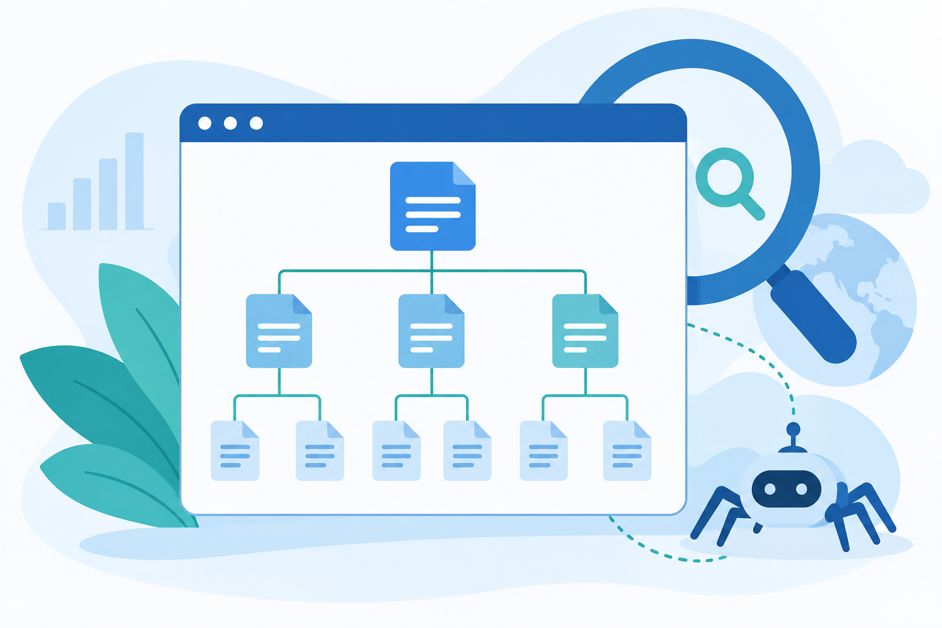
If your website were a house, your XML sitemap would be the floor plan you hand to a new visitor so they don’t wander into a closet looking for the kitchen. Except in this case, the “visitor” is Google, and the “kitchen” is the page that actually makes you money.
Most small business owners have never opened their sitemap and have no idea whether it’s working. That’s usually fine — until it isn’t, and a chunk of your site quietly disappears from search results because Google never even knew those pages existed.
What an XML sitemap actually is
An XML sitemap is a file — usually found at a URL like yoursite.com/sitemap.xml — that lists every important page on your website in a format search engines can read. Think of it as a table of contents you’re handing directly to Google, Bing, and any other crawler that comes knocking.
It doesn’t guarantee those pages will rank. It doesn’t even guarantee they’ll get crawled right away. What it does is remove the guesswork: instead of Google having to stumble onto your pages by following links around your site (and possibly missing some), you’re handing over a clean list and saying, “here’s everything, please take a look.”
Why it matters more than people think
For a five-page brochure website, a sitemap is a nice-to-have. Google will probably find everything just by crawling your navigation menu. But most small business sites are bigger and messier than that — blog posts, service pages, location pages, old landing pages from a campaign three years ago, PDFs, maybe a few pages that got orphaned when someone redesigned the navigation and forgot to link back to them.
Without a sitemap, any page that isn’t clearly linked from somewhere else on your site is essentially invisible to search engines. With one, you’re giving Google a direct path to every page you actually want indexed — including new blog posts the moment you publish them, which can meaningfully speed up how fast fresh content shows up in search.
What belongs in your sitemap (and what doesn’t)
A good sitemap includes every page you want ranking in search: your homepage, service or product pages, your pricing page, blog posts, and key landing pages. It should not include pages you’ve deliberately blocked from search — thank-you pages, internal search results, admin pages, or duplicate content you’re using canonical tags to consolidate.
A sitemap stuffed with pages you don’t actually want indexed sends Google mixed signals and wastes what’s called “crawl budget” — the limited attention Google gives your site during any given crawl. Quality over quantity applies here just like it does everywhere else in SEO.
How to check yours
Most modern website platforms (WordPress with an SEO plugin, Shopify, Squarespace, Wix) generate a sitemap automatically. To check yours:
- Try visiting
yoursite.com/sitemap.xmldirectly in your browser. You should see a readable list of URLs, not an error page. - If you have Google Search Console set up, go to the Sitemaps report and confirm your sitemap is submitted and shows a “Success” status with no errors.
- Spot-check that your most important pages — homepage, top service pages, recent blog posts — actually appear in the list.
If you don’t have Search Console connected yet, that’s worth fixing before you worry about sitemaps at all — it’s the free tool that shows you exactly how Google sees your site, sitemap included.
The bottom line
An XML sitemap won’t fix bad content or make a page outrank a stronger competitor. But it removes one of the simplest, most avoidable reasons a page never shows up in search at all: Google never knew it existed. For a five-minute check, that’s a pretty good return.
If auditing your site’s technical SEO — sitemaps, crawlability, indexing issues, and everything else Google looks at before it even reads your content — sounds like more than you want to take on yourself, reach out to our team. And if you’re comparing what a properly built, well-optimized website should cost, our pricing page breaks it down clearly.
Leave a Reply